
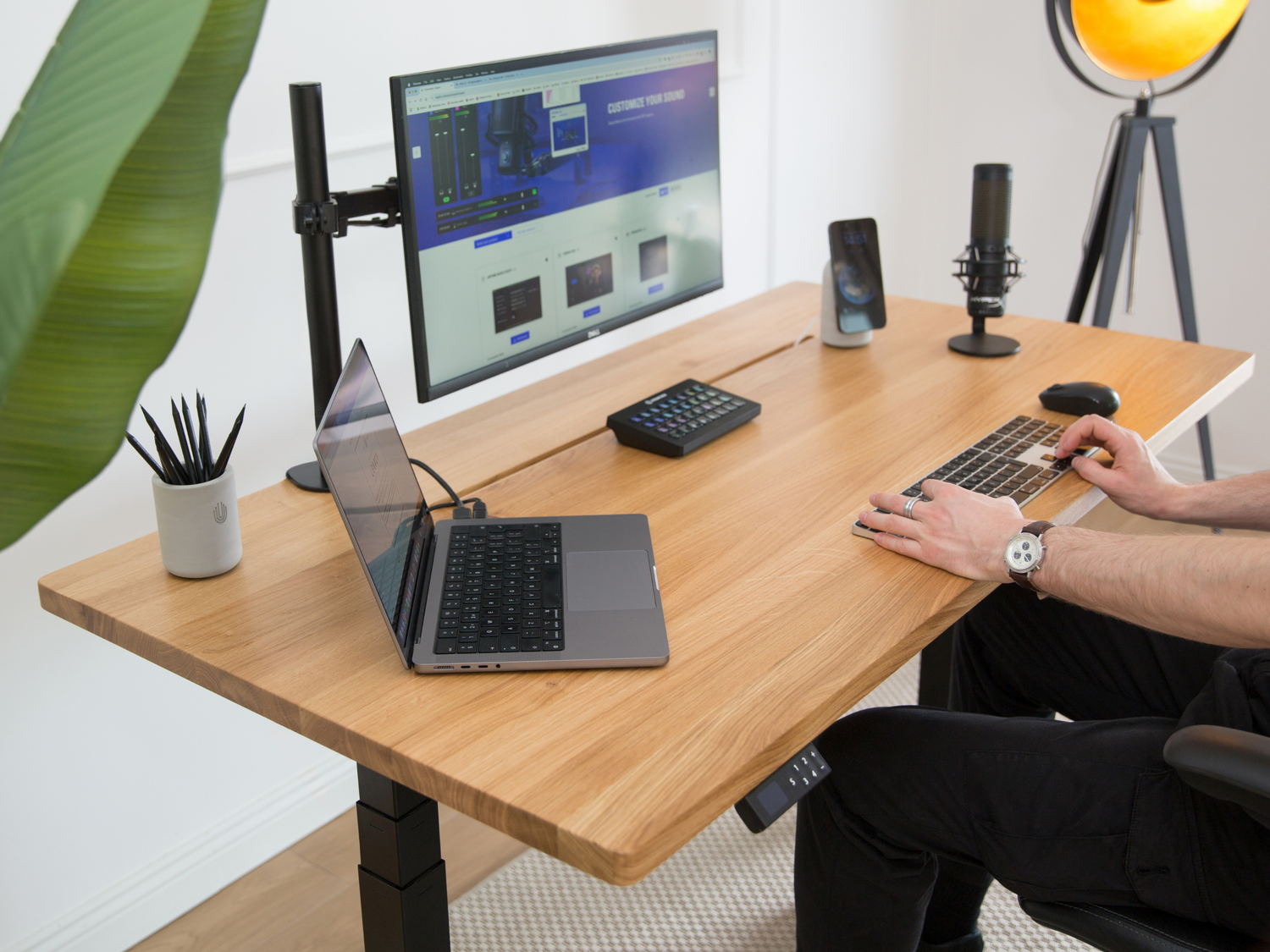
A minimalist desk isn't an empty desk. It's a desk where everything that remains earns its place, and everything that doesn't has somewhere else to be. The difference between the calm workspaces you save on Pinterest and the cluttered reality of most desks usually comes down to a dozen deliberate decisions.
Here are twelve of them, ordered roughly by impact.
1. Declare War on Visible Cables
Nothing destroys a minimalist setup faster than a cable waterfall behind the desk. Start here before buying anything decorative:
- Mount a cable tray or basket under the desk rear edge
- Run one single cable to the wall; everything else lives in the tray
- Use adhesive cable clips along desk legs for the survivors
An hour of cable management does more for the look of your desk than any accessory you can buy.

2. Go Wireless Where It Counts
Every eliminated cable is a small victory. The realistic wireless wins in 2027: keyboard, mouse, headphones, and phone charging. A wireless charging stand removes the most-touched cable on your desk, the one you plugged and unplugged twenty times a day.
3. Charge Your Phone Vertically, Not Flat
A phone lying flat on the desk is clutter that lights up. A phone standing upright on a charging stand becomes a second display: with StandBy Mode on iOS, it shows a clock, calendar, weather, and photos while it charges. Same object, completely different role. If you haven't set it up, our StandBy Mode guide walks through it in five minutes.

4. Choose Honest Materials
Minimalism lives or dies on materials. Plastic accessories read as clutter even when they're tidy, because glossy black plastic is visually loud. Natural and raw materials read as calm: wood, linoleum, steel, stone, felt, concrete.
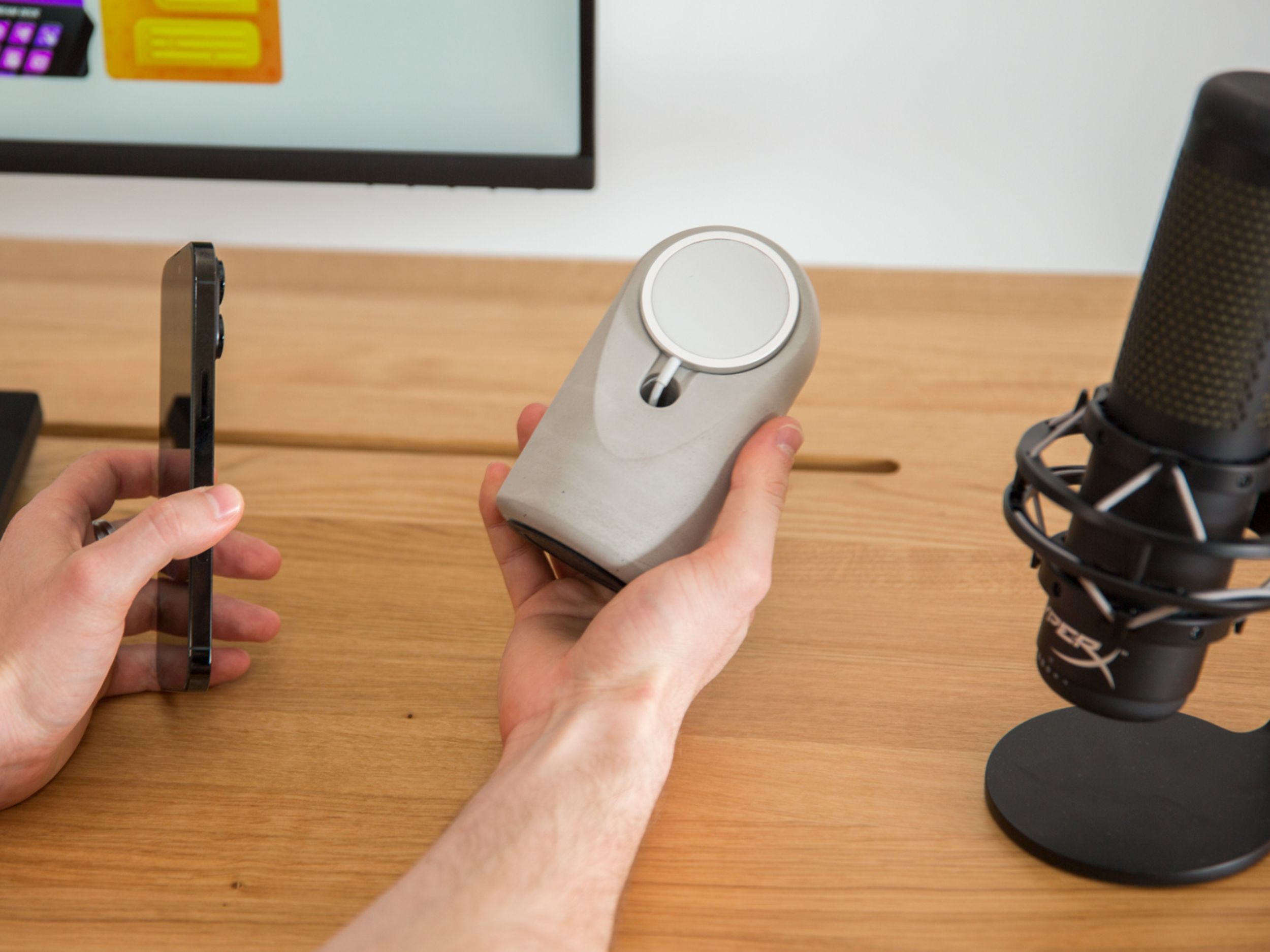
This is a real, researched principle of workspace design, not just aesthetics: visual texture from natural materials feels ordered, while reflective plastic surfaces feel busy. When we designed our Heritage charging stand, hand-poured concrete was the whole point: one solid, matte, quiet object that anchors the desk instead of adding noise to it.
5. One Monitor, Raised to Eye Level
Twin monitors are a productivity choice; a single large monitor is the minimalist one. Either way, get the top of the screen to eye level with a monitor arm rather than a stack of books. An arm also frees the entire desk surface underneath, which instantly makes the desk look twice as large.

6. Pick a Two-Color Palette and Stay Loyal
The most photogenic desks almost always use two colors plus one accent. White and oak. Black and walnut. Grey concrete and black. Every object you add either fits the palette or fights it. When you're tempted by a gadget in a random color, that's the moment the palette earns its keep.
7. Keyboard and Mouse: Small, Wireless, Matching
A full-size keyboard with a number pad is desk real estate most people never use. A 75% or tenkeyless wireless board frees 15cm of width and lets the mouse sit closer, which your shoulder will thank you for. Match their color to your palette from idea 6.
8. A Desk Pad to Define the Zone
A felt or leather desk pad does three jobs: it frames the working zone, protects the desk, and adds the one soft texture in a setup full of hard surfaces. Choose it in your palette's second color.
9. Hide the Storage, Keep One Tray
Drawers exist so your desk surface doesn't have to remember anything. Allow yourself exactly one small tray or dish on the surface for the daily pocket dump: keys, coins, earbuds. One tray is intentional; three trays are clutter with organization branding. A concrete or wood catch-all dish in your accent color works perfectly here.
10. Light the Wall, Not Just the Desk
A single harsh desk lamp creates a bright puddle in a dark room, which is neither cozy nor good for your eyes. Layer it: a warm bias light behind the monitor, plus one architectural desk lamp in your palette. Warm white, around 2700 to 3000K, photographs beautifully and feels calm at night.
11. One Plant, Chosen for Neglect
Greenery breaks up the hard surfaces and adds the accent color for free. Choose something that tolerates your actual watering habits: pothos, snake plant, or a small monstera. One healthy plant beats three struggling ones.
12. The Sunday Reset
The habit that keeps the other eleven ideas alive: a five-minute reset at the end of each week. Everything off the desk, wipe the surface, return only what belongs. A minimalist desk is not something you build once; it's something you maintain in five-minute installments.
The Test: Could You Photograph It Right Now?
The honest benchmark for a minimalist setup is whether you'd post a photo of your desk exactly as it stands this second. If the answer is "after I move a few things," those few things are your to-do list.
Start with the cables, add the wireless charging stand, commit to the palette, and the rest tends to follow.

FAQ
What should be on a minimalist desk? Monitor on an arm, compact wireless keyboard and mouse, desk pad, one lamp, a phone charging stand, one tray, and optionally one plant. Everything else lives in a drawer.
How do I hide cables on my desk? An under-desk cable tray for the power strip and bricks, adhesive clips along the legs, and one single sleeved cable running to the wall outlet.
Are wireless chargers worth it for a desk setup? Yes, for one specific reason: the phone cable is the most frequently handled cable on any desk. Replacing it with a magnetic stand removes daily friction and turns the charging phone into a StandBy smart display.
What colors work best for a minimalist desk? Two base colors plus one accent. Popular 2027 combinations: white with oak, black with walnut, and raw concrete grey with black.
The anchor piece: the Heritage Concrete MagSafe Stand charges your iPhone or Qi2 Android at a 17° StandBy angle, in hand-poured concrete that fits any palette. Six colors, handmade in Europe, free EU shipping.


Leave a comment
This site is protected by hCaptcha and the hCaptcha Privacy Policy and Terms of Service apply.