
Type "does wireless charging" into Google and the first suggestion is "damage battery." Millions of iPhone owners charge wirelessly every night and still wonder if they're slowly killing their phone.
Short answer: no, wireless charging does not damage your iPhone battery when you use a certified charger. But the full answer is more interesting, because some of the fear is based on real physics, just badly explained. Let's separate the myths from the facts.
How Wireless Charging Actually Works
Before debunking anything, it helps to know what happens under the glass. A wireless charger contains a copper coil that creates an alternating magnetic field. Your iPhone has a matching coil that converts that field back into electricity. Apple's MagSafe system adds a ring of magnets so the two coils snap into perfect alignment every time.
That alignment detail matters more than most people realize, and it comes up again in several myths below.
Myth 1: Wireless Charging Wears Out Your Battery Faster
Verdict: False.
Your battery has no idea how the electricity arrived. Lithium-ion cells degrade based on three things: charge cycles, temperature, and how long they sit at extreme charge levels. Whether the current came through a cable or a coil is irrelevant to battery chemistry.
A battery charged wirelessly for two years and a battery charged by cable for two years will show nearly identical wear if they experienced the same temperatures and cycles.
Myth 2: The Heat From Wireless Charging Destroys Battery Health
Verdict: Partly true, but fixable.
This is the myth with a grain of truth. Wireless charging is less efficient than cable charging, and the lost energy becomes heat. Heat is genuinely the enemy of lithium-ion batteries. Sustained temperatures above 35°C accelerate chemical aging.
Here's what the fear-mongering articles skip: certified chargers are engineered around this problem.
- iPhones throttle charging speed automatically when they detect heat
- MagSafe alignment minimizes wasted energy, because misaligned coils are the biggest source of excess heat
- The charging surface and stand material affect how quickly heat dissipates
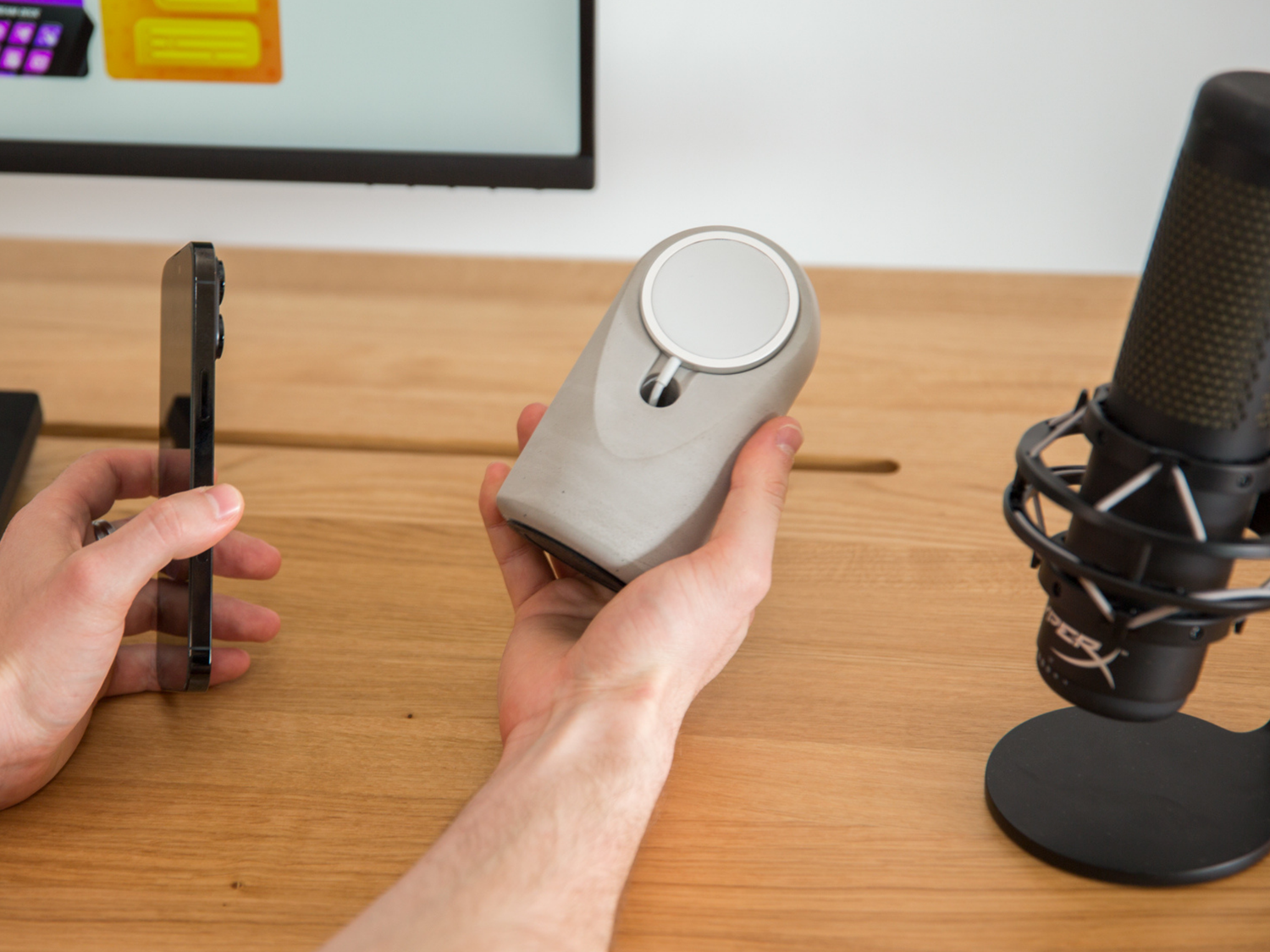
That last point is where your choice of charger matters. A phone lying flat on a plastic pad traps heat between two insulating surfaces. A stand holds the phone upright with air flowing behind it, and a stand made from a dense material like concrete acts as a passive heat sink, pulling warmth away from the charger instead of bouncing it back. It's one of the reasons we build the Heritage stand from solid hand-poured concrete rather than hollow plastic.
Myth 3: Charging Overnight Overcharges the Battery
Verdict: False.
Your iPhone stops drawing meaningful power at 100%. It then sips tiny amounts to stay topped up. There is no such thing as "overcharging" a modern smartphone.
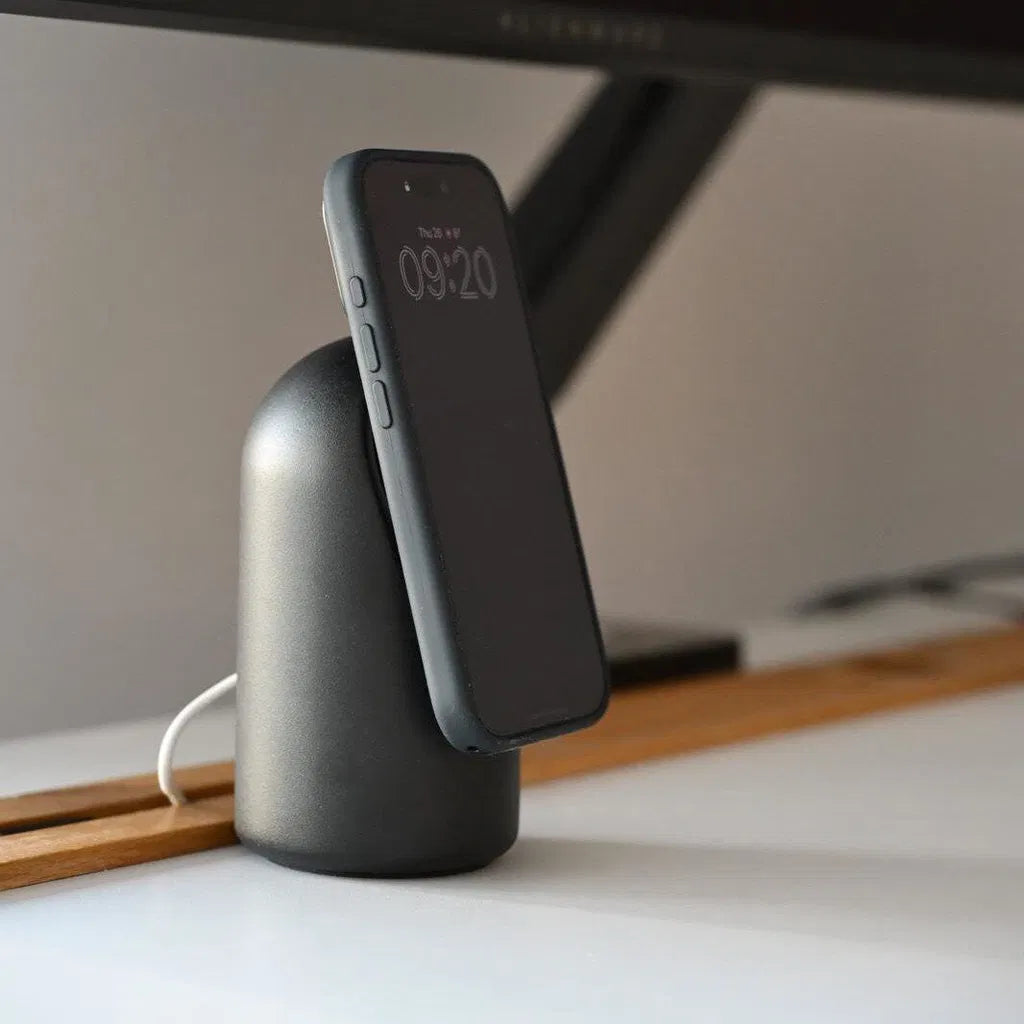
Better still, iOS uses Optimized Battery Charging: it learns your routine, charges to 80% quickly, then finishes the last 20% just before you normally wake up. On a MagSafe stand with StandBy Mode active, your phone spends the night as a bedside clock while iOS quietly manages the battery for you.
Myth 4: You Should Let the Battery Drain to 0% Before Charging
Verdict: False, and actually harmful.
This advice is a leftover from nickel-cadmium batteries in the 1990s. Lithium-ion cells hate deep discharges. Sitting at 0% stresses the battery far more than frequent small top-ups.
The ideal pattern for battery longevity is the opposite of the old advice: keep the charge between roughly 20% and 80% most of the time. A desk charging stand makes this effortless, because your phone grazes on power all day instead of doing one deep charge at night.
Myth 5: MagSafe Magnets Harm the Battery or the Phone
Verdict: False.
The MagSafe magnet ring exists purely for alignment. Magnets have no effect on lithium-ion chemistry, storage, or the phone's electronics. Apple designed the entire iPhone 12 and later lineup around this magnet array. If magnets damaged phones, MagSafe would not exist.
Myth 6: Wireless Charging Through a Case Is Dangerous
Verdict: False for normal cases.
Standard cases up to about 3mm thick work fine with Qi2 and MagSafe chargers. The charger simply works slightly harder, which certified chargers are rated for. The exceptions: cases with metal plates, metal ring holders, or thick wallet attachments. Remove those before charging, not because of battery damage, but because metal in the charging field creates real heat.
If your MagSafe charging feels slow through a case, alignment is the usual culprit, which magnetic stands solve by design.
Myth 7: Cheap Wireless Chargers Are the Same as Certified Ones
Verdict: Dangerously false.
This is the one myth where the fear is justified. Uncertified chargers from marketplace sellers skip the safety features that make myths 1 through 6 false: no thermal throttling, no foreign object detection, sloppy coil tolerances. These are the chargers behind the horror stories.
Look for Qi2 certification or MagSafe compatibility from a brand that stands behind the product. Every Heritage stand ships with a certified 25W USB-C wireless charger and a 2-year warranty, because the electronics matter as much as the stand holding them.
So What Actually Protects Your iPhone Battery?
Forget the myths. These five habits are what genuinely extend battery lifespan:
- Avoid heat. Don't charge in direct sunlight or under a pillow. Use a stand with airflow rather than a flat pad.
- Keep Optimized Battery Charging on. Settings, Battery, Charging. Leave it enabled.
- Charge little and often. Desk top-ups beat deep discharge cycles.
- Use certified chargers. Qi2 or MagSafe, from a real brand.
- Take metal off the back. No metal plates or ring holders between phone and coil.
Do these five things and your battery will comfortably outlive your interest in the phone.
FAQ
Is MagSafe bad for battery health? No. MagSafe is Apple's own standard with built-in thermal management and precise coil alignment. Used with certified hardware, it is as safe for your battery as cable charging.
Is it OK to leave my iPhone on a MagSafe stand all day? Yes. The phone manages its own charge level and temperature. A stand is actually the ideal all-day setup because StandBy Mode turns the screen into a clock and widget display while the battery grazes in its healthy range.
Does wireless charging stop at 100%? Effectively yes. The phone trickles just enough power to hold its charge and relies on Optimized Battery Charging to avoid sitting at 100% for long stretches.
Why does my phone get warm on a wireless charger? Mild warmth is normal energy loss. Excessive heat usually means misalignment, a metal object in the case, or an uncertified charger. A magnetic stand fixes the first cause instantly.
Charging your iPhone all day at your desk? The Heritage Concrete MagSafe Stand holds your phone at the perfect 17° angle for StandBy Mode, with a solid concrete body that stays cool and stays put. Handmade in Europe, free EU shipping, 2-year warranty.


Leave a comment
This site is protected by hCaptcha and the hCaptcha Privacy Policy and Terms of Service apply.