
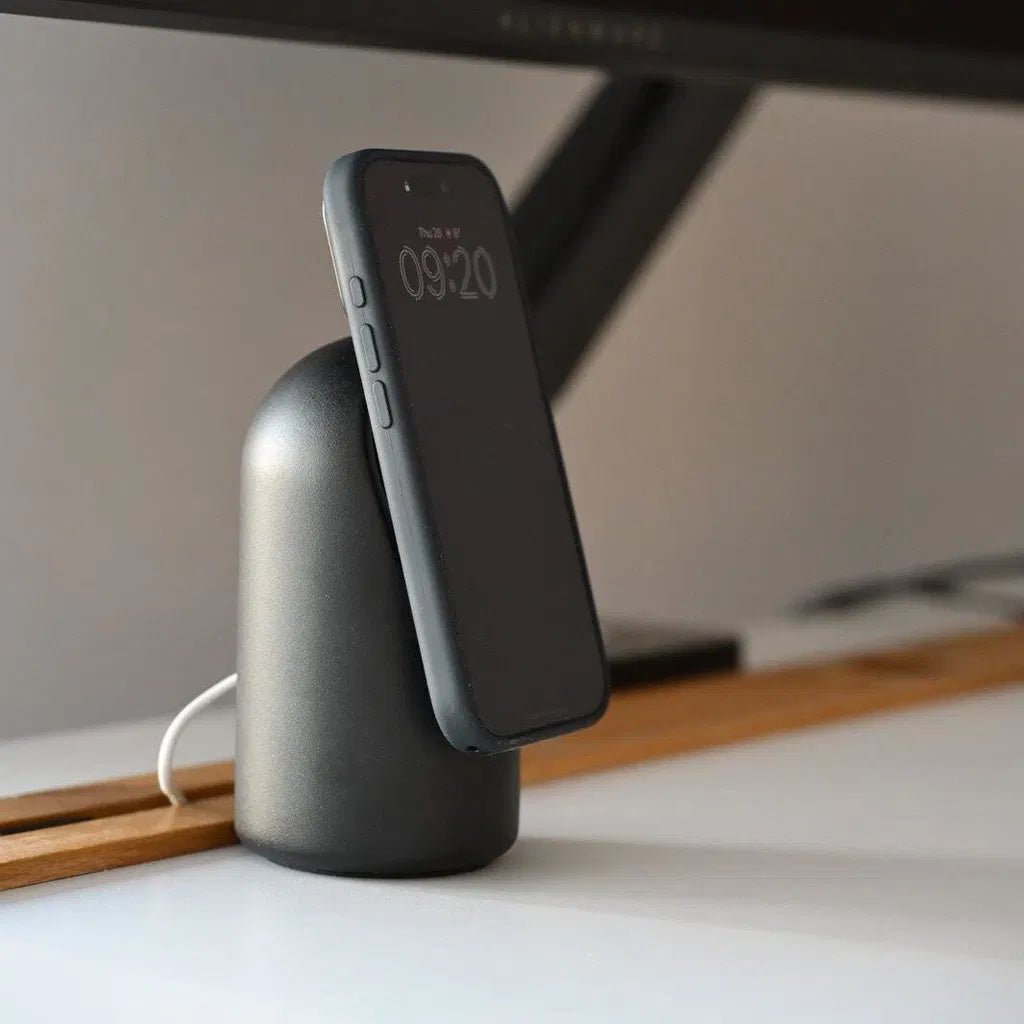
Black is the default color of tech for a reason: it disappears. A black iPhone charger stand blends into a dark desk setup, hides next to a black monitor, and never clashes with anything. That's exactly why it's the most searched color for charging stands, and also why the market is flooded with cheap glossy plastic versions that all look identical in photos and all disappoint in person.
If you're shopping for a black charging stand for your iPhone, here's what separates the good ones from the landfill candidates, plus what to look for in 2027.
Why Black Stands Dominate Desk Setups

Most desk setups in 2027 follow a dark palette: black monitor, black keyboard, dark desk pad, walnut or black desk surface. A charger in any other color becomes the loudest object on the desk. A black stand does the opposite: it recedes, and your iPhone becomes the focal point, exactly as it should be when StandBy Mode turns the screen into a clock and widget display.
Black also hides what other colors expose. White stands show every speck of dust and yellow over time; bright colors date themselves. Black, especially in a matte finish, stays visually quiet for years.
Matte vs Glossy: The Detail That Changes Everything

Here's the trap with most black charger stands: glossy black plastic. It looks sleek in product renders and terrible on a real desk. Glossy black is a fingerprint magnet, shows every dust particle under desk lighting, and scratches into a hazy grey within months.
Matte black is the finish you actually want. It absorbs light instead of reflecting your ceiling lamp, hides fingerprints, and ages gracefully. When comparing stands, look for the words matte, textured, or raw finish, and be suspicious of product photos taken in a studio void where glossy plastic can't betray itself.
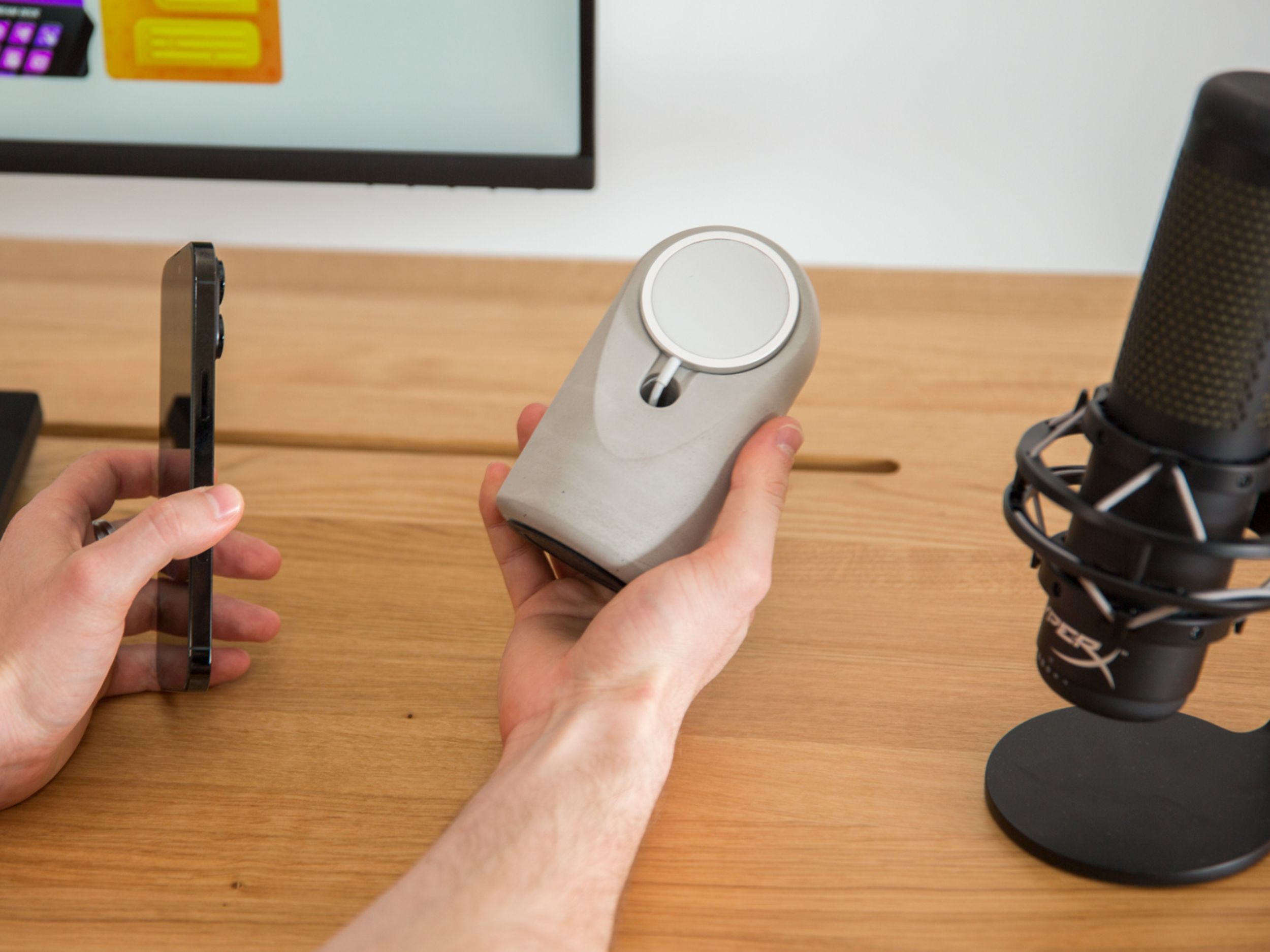
Material takes this one step further. A matte black finish on hollow plastic still feels like plastic the moment you touch it. A matte black finish on a dense material like concrete or metal looks similar in photos but completely different in the hand and on the desk. Our Heritage stand in Black is hand-poured concrete pigmented through the material, not painted on top, so a scratch doesn't reveal a different color underneath, and the surface keeps the subtle stone texture that makes each piece unique.
The 5-Point Checklist Before You Buy
Color aside, a black iPhone charger stand has to pass the same tests as any charging stand. Check these five things in the product listing:
1. Magnetic MagSafe or Qi2 Charging
A stand where you balance the phone against a ledge and hope the coils align is a 2019 product. In 2027, the phone should snap on magnetically, guaranteeing alignment, full speed, and reliable StandBy activation. If the listing doesn't say MagSafe compatible or Qi2, keep scrolling. Unsure about the difference? Our Qi2 vs MagSafe guide explains it in two minutes.
2. Real Charging Speed, Stated Honestly
Look for 15W minimum, ideally 25W, and check whether the wireless charger is actually included or sold separately. Many stands are just shaped plastic; the charger is an extra purchase. The Heritage ships with a certified 25W USB-C wireless charger in the box.
3. An Angle Built for StandBy Mode

StandBy Mode needs the iPhone in landscape at a tilt, and the comfortable viewing window is roughly 15 to 20 degrees. Too upright means glare from overhead lights; too flat and the phone won't trigger StandBy at all. Heritage uses a 17° tilt for exactly this reason. New to the feature? Here's our complete StandBy setup guide.
4. Enough Weight for One-Handed Use
This is the test cheap stands fail daily. MagSafe magnets are strong, so when you grab your phone off a 90-gram plastic stand, the stand comes with it. A proper stand needs mass. Solid concrete solves this without needing suction cups or sticky pads that collect dust: the stand stays planted, the phone detaches, done.
5. A Warranty From a Real Brand
A stand with electronics inside should come with real coverage. Marketplace no-name stands offer none. Heritage carries a 2-year warranty plus a 30-day money-back guarantee.
Styling a Black Stand: Three Setups That Work
The all-black desk. Black stand, black keyboard, dark desk pad, walnut or black desktop. The stand vanishes into the palette and your iPhone's StandBy clock becomes the desk's centerpiece. Add one warm accent, a plant or brass lamp, so the setup doesn't go flat.
The contrast nightstand. On a light wood or white nightstand, a matte black stand becomes a deliberate accent instead of camouflage. At night, StandBy's red-tinted Night Mode on a black stand is about as discreet as a bedside clock gets.
The kitchen counter. Black works surprisingly well against stone and tile, and a concrete stand shrugs off the splashes and heat of a kitchen better than electronics-grade plastic. Recipes in StandBy widgets, phone charging, counter uncluttered.
Black Concrete vs Black Plastic vs Black Aluminum
The three materials you'll find at the quality end of the market:
Plastic is light, cheap, and fine for travel, but on a desk it slides, feels hollow, and glossy versions age badly. If you want the full comparison, we wrote a detailed breakdown of concrete vs plastic chargers.
Aluminum looks premium and machines beautifully, but thin aluminum shells are lighter than they appear and conduct desk vibrations into rattles. Solid billet aluminum fixes that at a steep price.
Concrete delivers the mass that makes one-handed use work, a matte mineral surface that hides dust and fingerprints, and a texture no injection mold can copy. Each hand-poured piece has its own subtle variations, which is the opposite of the identical glossy clones filling marketplace listings.
FAQ
What is the best black charging stand for iPhone? Look for four things: magnetic MagSafe or Qi2 attachment, at least 15W real charging speed with the charger included, a 15 to 20 degree tilt for StandBy Mode, and enough weight to stay put during one-handed removal. The Heritage stand in Black checks all four with a 25W charger and solid concrete body.
Do black stands show dust and fingerprints? Glossy black plastic shows both badly. Matte black finishes, especially on textured materials like concrete, hide dust and don't hold fingerprints.
Does a black stand work with any iPhone color? Yes. Black is the neutral of tech accessories; it pairs cleanly with every iPhone finish and every Android color, which is part of why it's the most popular stand color.
Is a heavier charging stand better? For desk use, yes. Weight is what lets you pull the phone off the magnets one-handed without the stand lifting or sliding. Lightweight stands need sticky pads or a second hand.
Matte black, solid concrete: the Heritage MagSafe Stand in Black charges iPhone and Qi2 Android at 25W on a 17° StandBy angle, with pigment poured through the material, not painted on. Handmade in Europe, free EU shipping, 2-year warranty.


Leave a comment
This site is protected by hCaptcha and the hCaptcha Privacy Policy and Terms of Service apply.