
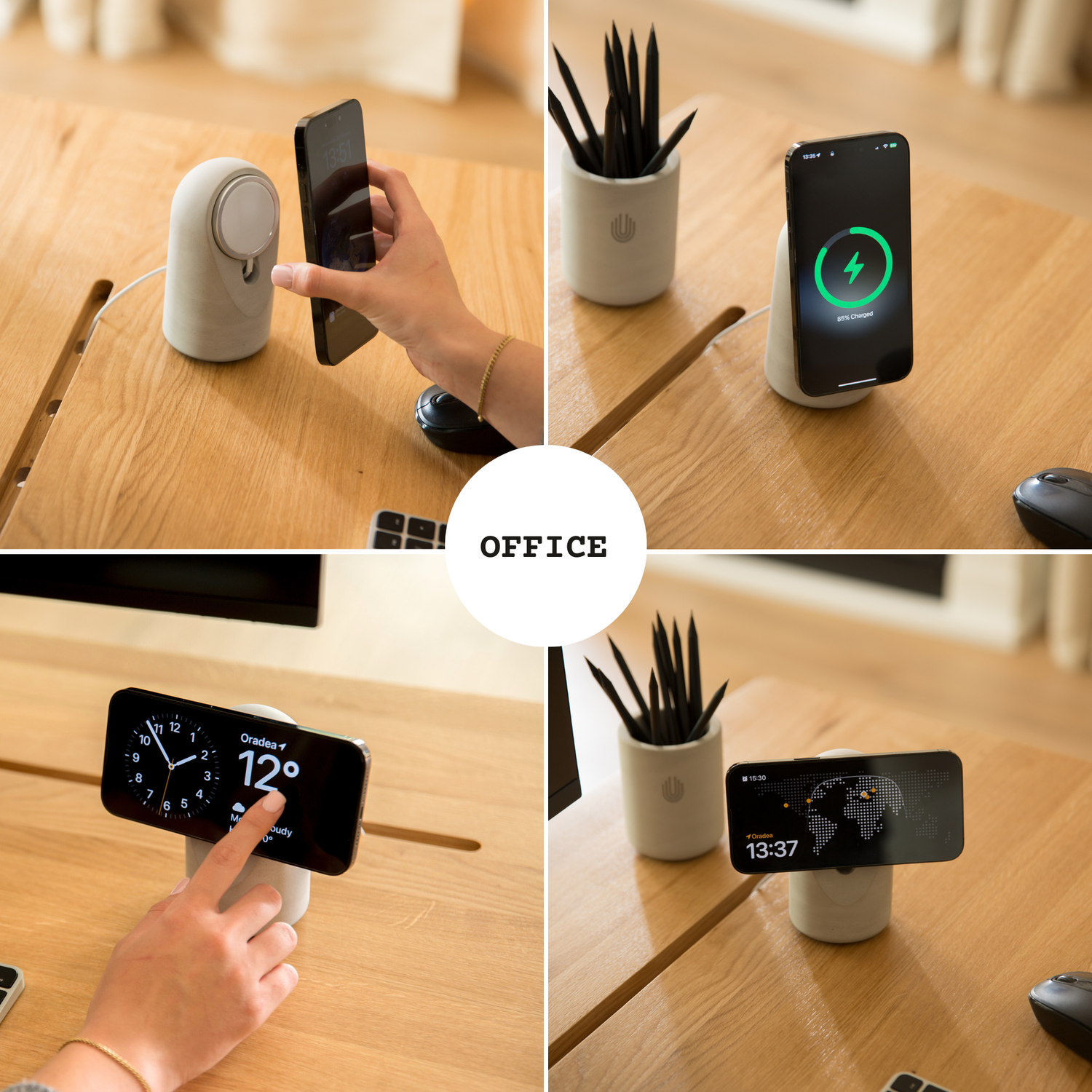
Your iPhone has a hidden second life. Place it on a charging stand in landscape, and it stops being a phone and becomes a smart display: a full-screen clock, a rotating photo frame, live widgets for weather, calendar, and music. Apple calls it StandBy Mode, and it has quietly become one of the best reasons to own a MagSafe stand.
The catch? StandBy Mode only works with the right hardware. A flat charging pad won't trigger it. A flimsy stand at the wrong angle makes it unusable. This guide covers exactly what StandBy Mode needs, how to set it up, and which stand does it best in 2027.
What Is StandBy Mode?
Introduced in iOS 17 and refined in every release since, StandBy Mode activates automatically when three conditions are met: your iPhone is charging, positioned in landscape orientation, and tilted at an angle (not lying flat).
Once active, you can swipe between three views:
Widgets view — two interactive widget stacks side by side: calendar, weather, reminders, home controls, stocks, and third-party widgets.
Photos view — your iPhone becomes a digital photo frame, cycling through your library's featured photos.
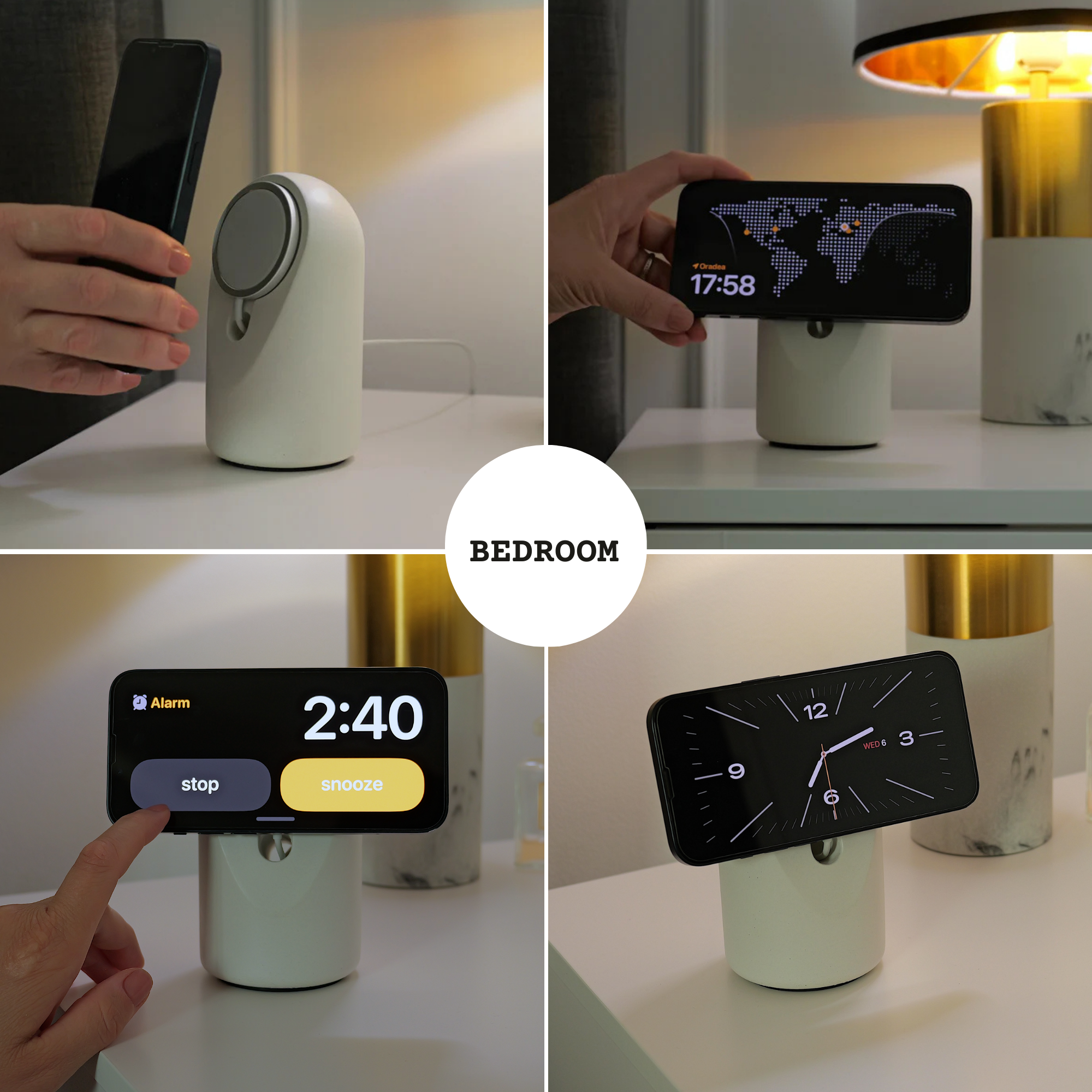
Clock view — full-screen clock faces in multiple styles, with a dimmed red night mode on always-on display models that won't light up your bedroom.
It effectively turns a device you already own into the smart display Amazon and Google want to sell you — with no extra subscription and no extra microphone in your bedroom.
Why Your Stand Makes or Breaks StandBy Mode
Most "StandBy compatible" stands technically work but practically fail. Three things separate a great StandBy stand from a frustrating one:
1. The viewing angle
StandBy Mode needs a tilt, but the quality of the experience depends on the exact angle. Too upright and the screen catches ceiling glare; too shallow and you can't read it from across the desk. The sweet spot for a desk or nightstand is roughly 15–20° from vertical — high enough to face your eyes when seated or lying down, low enough to stay stable.
The UnityCave Heritage stand was designed around exactly this: a fixed 17° tilt, calibrated for eye-level viewing at a desk or bedside. No hinges to sag over time, no adjustment ring to slip.
2. Stability when you grab your phone
Here's the daily reality of a MagSafe stand: you pull your phone off it ten times a day. MagSafe magnets are strong — around a kilogram of pull force — so a lightweight plastic stand comes up with the phone or skates across your desk every single time. You end up needing two hands for a one-hand job.
A concrete stand solves this with physics. The Heritage is hand-poured solid concrete with an anti-slip base: the phone releases, the stand doesn't move. Once you've used a properly weighted stand, going back to plastic feels broken.
3. It sits in view all day
A StandBy stand lives in your line of sight — that's the whole point. It's on your desk during every video call, on your nightstand every morning. Most charging stands are glossy black plastic that looks like IT-department equipment. A stand you look at 200 times a day should be something you actually like looking at.
StandBy Mode in 2027: UnityCave Heritage
After comparing the popular options, the Heritage Concrete MagSafe Stand is our pick for StandBy Mode in 2027. Here's the full case:
Purpose-built geometry. The 17° tilt lands in the ideal StandBy viewing range for both desks and nightstands, and the landscape orientation is rock-solid stable.
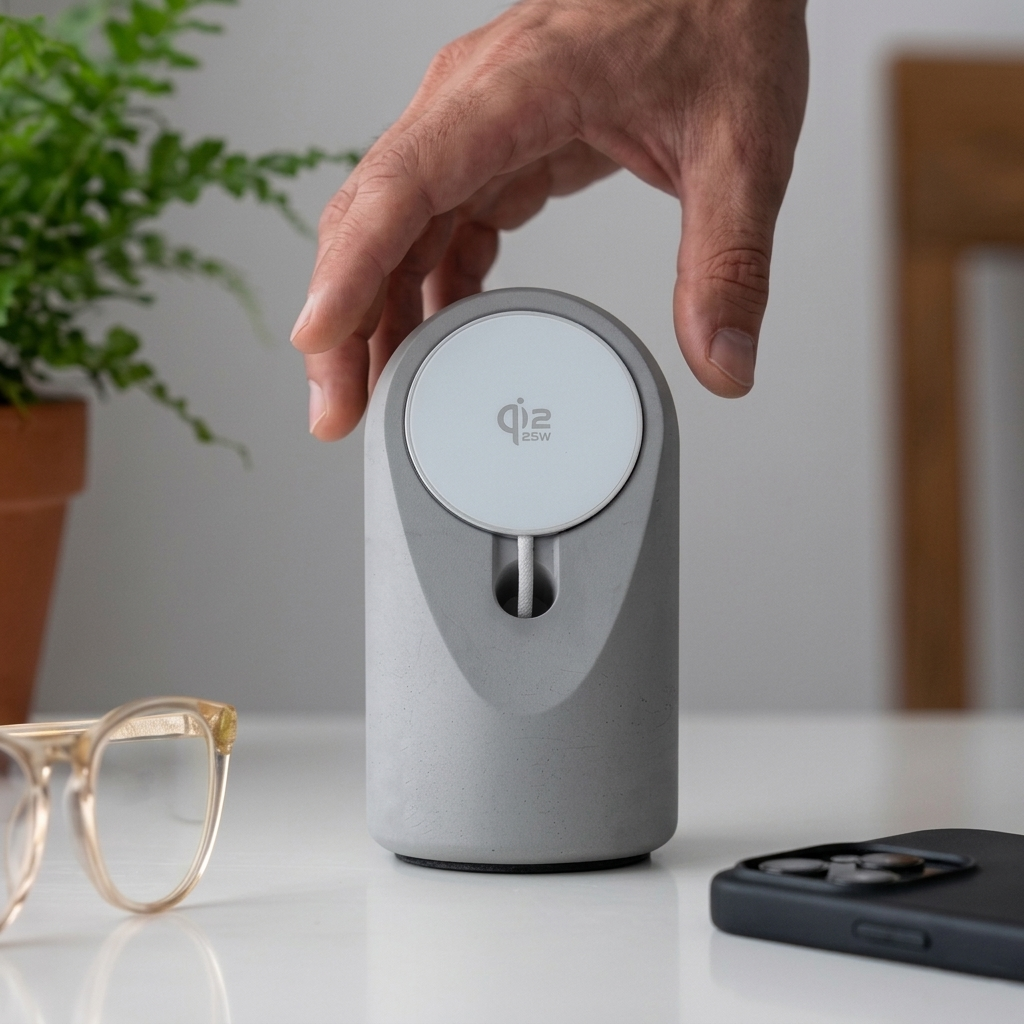
Real materials, handmade in Europe. Each stand is 100% hand-poured concrete — cement, sand, water, eco-friendly pigment. Subtle air bubbles and surface variations mean no two stands are identical. The design is registered with the EUIPO, so it's an original, not a mold-swap clone.
Charger included. The stand ships with a free UnityCave 25W USB-C wireless charger (a €29 value), or you can upgrade to an original Apple MagSafe charger at checkout. The puck mounts with nano adhesive — stick it in place once and you're done.
Works with everything. iPhone with StandBy Mode, but also any Qi-compatible Android phone, which get their own landscape screen-saver modes on many devices.
Six colors, gift-ready. Raw concrete, black, white, beige, yellow, and pink, each in premium gift packaging with a 2-year warranty and a 30-day money-back guarantee. Free shipping in the EU.
At €69 on sale (regular €79) including the wireless charger, it costs less than many plastic flagship stands that ship without one.
See the Heritage stand in all six colors →
How to Set Up StandBy Mode (60 Seconds)
- Open Settings → StandBy and make sure StandBy is on.
- Place your iPhone on the stand in landscape while charging.
- Swipe left/right to switch between Clock, Photos, and Widgets views.
- Long-press a widget stack to customize which widgets appear.
- Optional: enable Night Mode so the clock dims to red in a dark room.
Pro tip for nightstands: turn on "Show Notifications" in StandBy settings so incoming messages appear at a glance — or leave it off for a distraction-free bedside clock.
StandBy Mode Ideas Beyond the Nightstand
On your work desk: calendar + reminders widgets keep your day visible without unlocking your phone — and without the temptation of picking it up.
In the kitchen: timers and recipes at eye level while your phone charges out of splash range.
In a music studio: the Heritage's concrete aesthetic fits studio furniture, and the music widget shows what's playing.
As a photo frame for guests: Photos view with a shared album is an instant conversation piece.
Frequently Asked Questions
Does StandBy Mode need MagSafe? No — it needs charging plus landscape plus tilt. Any Qi charger on an angled stand works, but MagSafe's magnetic alignment makes docking effortless and keeps the phone perfectly positioned.
Does StandBy Mode stay on all night? On iPhones with an always-on display, yes (dimming intelligently in the dark). Other models wake the screen with a tap.
Does StandBy Mode drain or damage the battery? No. The phone is charging the entire time, and iOS manages charge levels to protect long-term battery health.
What angle does StandBy Mode require? Apple doesn't publish an exact figure, but the phone must not be flat. Around 15–20° of tilt — like the Heritage's 17° — is the widely recommended range for readability and stability.
Will StandBy Mode work with future iPhones in 2027? StandBy has been a core iOS feature since iOS 17 and continues in current releases. A stand with standard Qi/MagSafe charging, like the Heritage, isn't tied to any single iPhone generation.
Ready to give your iPhone a second life as a smart display? The Heritage Concrete MagSafe Stand ships free in the EU with a bundled 25W wireless charger, premium gift box, and a 2-year warranty.

Leave a comment
This site is protected by hCaptcha and the hCaptcha Privacy Policy and Terms of Service apply.