

What Is NFC and How Does It Work? A Simple Guide (2027)
What is NFC and how does it work? A simple guide to Near Field Communication, NFC tags, modes, safety and everyday uses for home and business.
You use NFC every time you pay with your phone, tap a transit card or pair a pair of headphones in one touch. Yet most people have no idea what is actually happening inside their phone when they do it. This guide explains NFC in plain English: what it is, how it works, what NFC tags are and how you can start using them at home or in your business.
What is NFC?
NFC stands for Near Field Communication. It is a wireless technology that lets two devices exchange small amounts of data when they are very close to each other, usually within 1 to 4 centimeters. That short range is not a limitation, it is the whole point: nothing happens unless you deliberately bring your phone to the object.
NFC grew out of RFID (radio frequency identification), the same technology used in shop anti-theft labels and access cards. It works on the 13.56 MHz frequency and is supported by almost every smartphone sold today, including all iPhones from the iPhone 7 onward and the vast majority of Android phones.
How does NFC work?
Every NFC exchange has two sides: a reader and a target.
- The reader is usually your phone or a payment terminal. It generates a small electromagnetic field.
- The target can be another phone, a card or an NFC tag. When it enters the reader's field, the energy from that field powers it up and the two exchange data.
This is why NFC tags need no battery. A tag is simply a tiny chip connected to a coil antenna. Your phone's field wakes it up, reads the information stored on it and the whole thing takes a fraction of a second.
The three NFC modes
1. Read/write mode
Your phone reads information from an NFC tag, or writes new information to it. This is the mode behind tap-to-open links, smart home shortcuts and NFC business cards.
2. Card emulation mode
Your phone behaves like a contactless card. Apple Pay, Google Wallet, digital car keys and transit passes all use this mode.
3. Peer-to-peer mode
Two devices exchange data directly. It is less common today, but it is still used for things like quick pairing between a phone and a speaker.
What is an NFC tag?
An NFC tag is a small passive chip that stores a little piece of information: a website link, a phone number, a Wi-Fi password, a contact card or a command for your phone. When someone taps it with an NFC phone, the phone reads that information and acts on it, for example by opening a web page.
Tags come in many shapes: stickers, key fobs, wristbands, cards and desk objects. The most common chips are NTAG213, NTAG215 and NTAG216, which differ mainly in memory:
- NTAG213: about 144 bytes, enough for a normal website link
- NTAG215: about 504 bytes, enough for a longer link or a small contact card
- NTAG216: about 888 bytes, useful for richer data like a full vCard
For most uses, such as linking to a website, a menu or a review page, even the smallest memory is plenty.
UnityCave
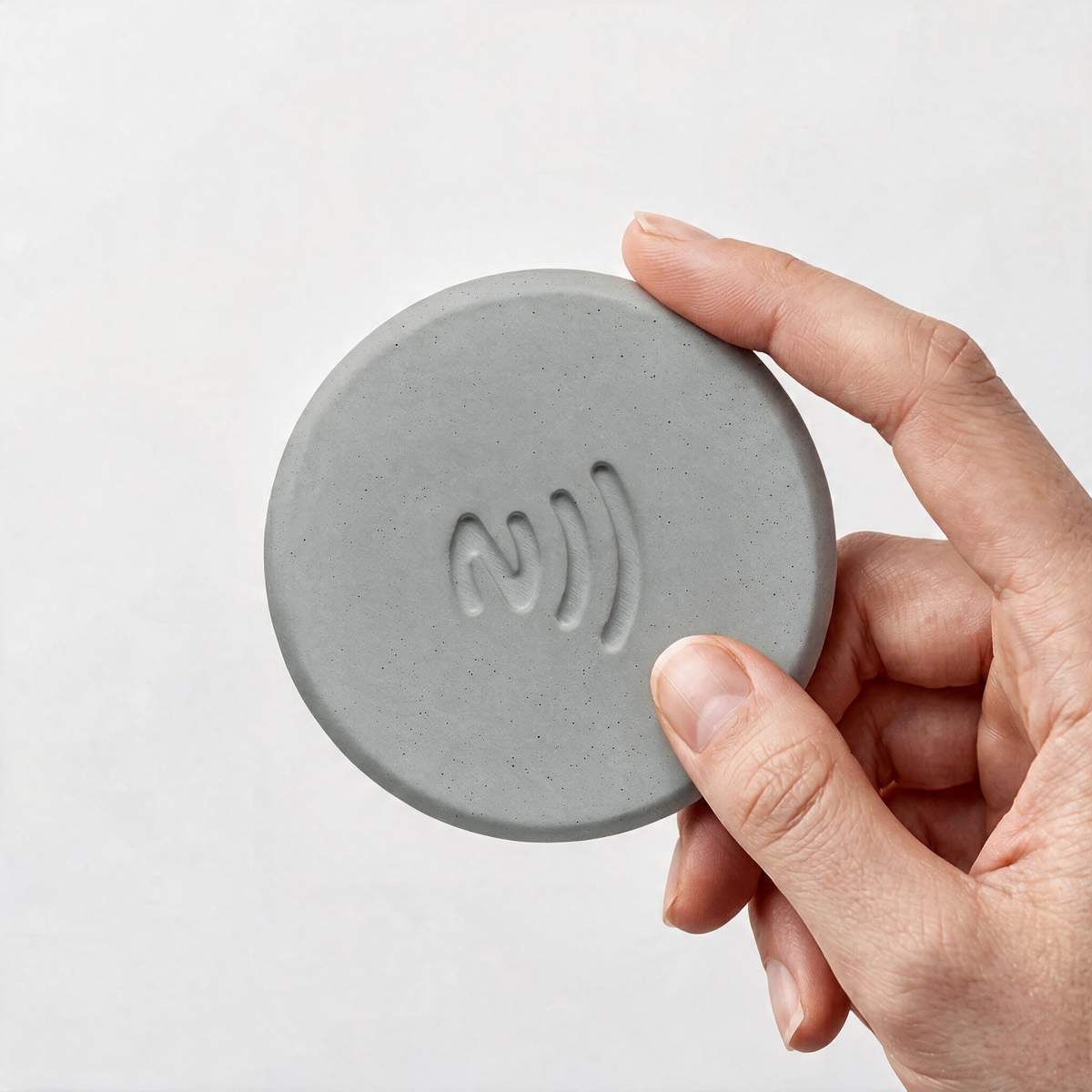
Taply - Concrete Puck With Built-In NFC Chip
Try NFC the easy way: write your link once, then anyone taps to open it. Hand-poured in Europe, works with iPhone and Android, rewritable any time.
€10
Shop Taply NFC PuckNFC vs Bluetooth vs QR codes
- NFC vs Bluetooth: Bluetooth works over several meters and needs pairing. NFC works over a few centimeters, needs no pairing and connects almost instantly. That makes NFC better for quick, intentional actions.
- NFC vs QR codes: A QR code needs the camera app, good light and a steady hand. An NFC tag only needs a tap. Many businesses use both on the same product so every visitor has an option.
- NFC vs RFID: RFID can work over longer distances and is mostly used in logistics. NFC is a short-range form of RFID designed for phones and people.
Is NFC safe?
NFC is considered one of the safer wireless technologies, mostly because of its tiny range. Someone would need to be almost touching your phone to interact with it. Payments add their own layers of protection, such as tokenization and Face ID or fingerprint confirmation.
For NFC tags, two simple habits keep you safe:
- Only tap tags you trust, just as you would only scan QR codes you trust.
- If you place a tag in a public space, consider locking it after programming so nobody can overwrite it. Keep in mind that locking is permanent.
How to use NFC in everyday life
Once you understand NFC, you start seeing uses everywhere:
- At home: tap to join the Wi-Fi, start a playlist, turn off the lights or set a bedtime alarm.
- At the office: tap to open your meeting notes, start a focus timer or share your portfolio.
- In a shop or café: tap to open the menu, follow on Instagram or leave a Google review.
- At networking events: tap to share your LinkedIn or digital business card.
A better-looking NFC tag for your desk or counter
Most NFC tags are plastic stickers that peel, slide around or look cheap on a nice counter. Taply by UnityCave is a hand-poured concrete puck with a built-in NFC chip. Each puck is cured for seven days, fitted with its chip, tested and packed by hand in Europe. You write your link once using the free NFC Tools app, place it anywhere, and anyone with a modern iPhone or Android phone opens your page with a single tap, with no app needed on their side. You can rewrite it whenever your link changes.
Frequently asked questions
Does my phone have NFC?
Almost certainly. All iPhones from the iPhone 7 onward and nearly every Android phone released in recent years support NFC. On Android, check that NFC is turned on in Settings, under Connections or Connected devices.
Do NFC tags need a battery?
No. NFC tags are passive and are powered by the phone that reads them, so they can work for many years.
How far does NFC work?
Usually up to about 4 centimeters. In practice, you hold the top of an iPhone or the middle back of most Android phones directly against the tag.
Can an NFC tag be reprogrammed?
Yes, as long as it has not been locked. You can change the link on a tag as often as you like with a free app.
UnityCave
Zu den Produkten →Weiterlesen

How to Program an NFC Tag on iPhone and Android (2027 Guide)
Learn how to program an NFC tag on iPhone and Android in 2 minutes with a free app. Step-by-step guide, testing tips and troubleshooting.

25 Clever NFC Tag Ideas for Home, Office and Business
25 practical NFC tag ideas for your home, desk and business: Wi-Fi, routines, Google reviews, menus, networking and more, with placement tips.

NFC Google Review Stand: How to Get More Reviews With One Tap
How an NFC Google review stand works, how to get your review link, set it up in 5 minutes and collect more reviews without breaking Google's rules.