
NFC Business Cards vs Paper Cards: Is Tap-to-Share Worth It in 2027?
NFC business cards vs paper cards: how tap-to-share works, benefits, drawbacks and how to set up your own NFC networking tool in minutes.
Paper business cards have a problem: most of them end up in a drawer or a bin within a week, and the details on them go out of date the moment you change jobs, phone numbers or websites. NFC business cards and NFC tags promise a smarter way to share your details. But are they actually better, and which option makes sense for you? Here is an honest comparison.
What is an NFC business card?
An NFC business card has a tiny chip inside. When someone taps it with their phone, the phone opens a link: your website, LinkedIn profile, digital business card page or a contact file they can save straight to their contacts. The other person does not need an app, just a phone with NFC, which almost every modern smartphone has.
The key point is that the card does not store your whole profile. It stores a link. Your actual details live online, where you can update them at any time.
How does it work?
- You create your online profile: a LinkedIn page, a personal website, a Linktree style page or a digital business card.
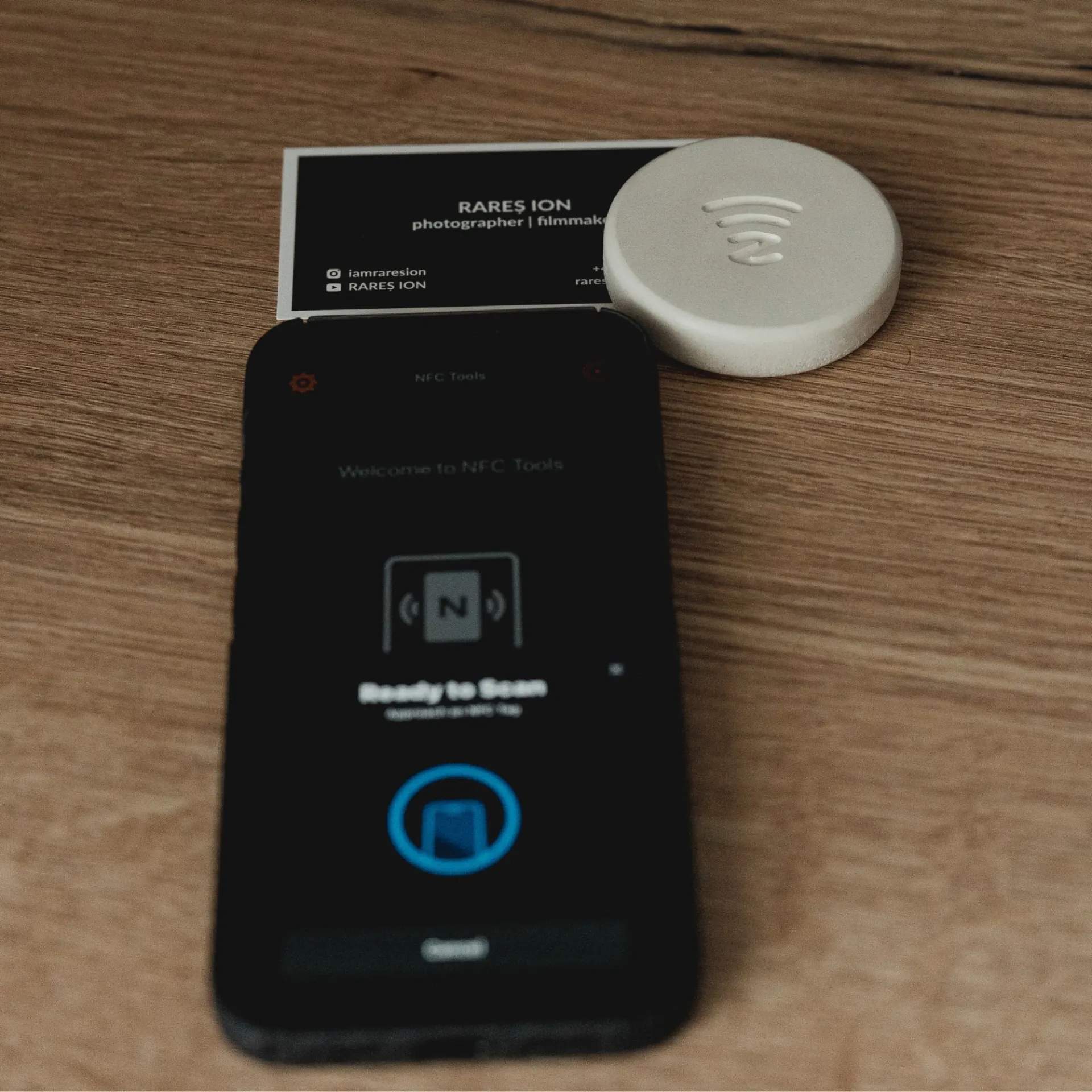
- You write that link to the NFC chip with a free app like NFC Tools.
- At a meeting or event, the other person taps the card or tag with their phone.
- Your profile opens instantly and they can save your details.
NFC vs paper business cards
- Updating your details: paper needs reprinting. NFC only needs you to update the page it links to.
- Amount of information: paper fits a name, title and a few contacts. NFC can open a full profile with portfolio, social links, videos and booking pages.
- Cost over time: paper is cheap per card but you keep reprinting. One NFC item can be used for years.
- First impression: paper is familiar. NFC feels modern and usually starts a conversation.
- Compatibility: paper works with everyone. NFC needs the other person's phone to have NFC turned on, which covers the vast majority of people today.
- Environmental impact: NFC reduces the waste of cards that are printed and thrown away.
Benefits of sharing your details with NFC
- Always up to date: new job, new number, new website, no reprint.
- Faster connections: one tap instead of typing a name and email.
- Fewer lost contacts: people save your details on the spot rather than losing a paper card.
- Richer first impression: show your work, not just your job title.
Drawbacks to know before you switch
- NFC must be enabled: some Android users have NFC turned off. Adding a QR code or keeping a few paper cards covers them.
- Some people prefer paper: in certain industries and cultures, exchanging a physical card is part of the etiquette.
- Your online profile matters: the tap is only as good as the page it opens. Make sure it looks good on mobile.
- Subscriptions: some NFC card brands require a monthly plan to host your profile. You can avoid this by linking to your own website or LinkedIn.
NFC card, NFC tag or both?
An NFC card lives in your wallet and is great for events and meetings on the go. But a lot of networking happens in one place: your desk, your office reception, your stand at a trade fair or your studio. For these, an NFC object that stays on the table can work even better. Visitors tap it while you talk, without you handing anything over.
That is exactly how many people use Taply by UnityCave. It is a hand-poured concrete puck with a built-in NFC chip. Set it to your LinkedIn, portfolio or digital business card with the free NFC Tools app and place it on your desk or event table. One buyer uses his for networking events and finds it much easier than digging for a business card. Another rewrote the link three times as his portfolio changed, without buying anything new.
How to create your own tap-to-share setup
- Choose your destination: LinkedIn, your website, a link-in-bio page or a contact page.
- Make sure it works on mobile: big buttons, clear photo, contact details at the top.
- Write the link to your NFC card or tag using NFC Tools.
- Test on iPhone and Android.
- Add a hint: "Tap to connect" next to the tag helps people who have never used NFC.
Frequently asked questions
Do NFC business cards work with iPhone?
Yes. iPhones from the XS onward read NFC tags automatically. Older models from the iPhone 7 onward can read them with an app.
Does the other person need an app?
No. Their phone reads the tag natively and opens your link in the browser.
Can I change what my NFC card opens?
Yes. Either update the page the link points to, or rewrite the tag with a new link, as long as it has not been locked.
Is an NFC business card secure?
It only shares what you put on the linked page. Do not include anything on that page you would not print on a paper card.
UnityCave
Scopri i prodotti →Continua a leggere

How Apple Watch Wireless Charging Works
How Apple Watch magnetic wireless charging works, why regular Qi chargers don't work, and how to set up a tidy charging spot at home.

Apple Watch Fast Charging: Models, Times & Setup
Which Apple Watch models support fast charging, how long charging takes, and the cable and power adapter you need to charge faster.

Apple Watch Not Charging? 9 Fixes That Actually Work
Apple Watch not charging on its magnetic charger? Try these step-by-step fixes, from cleaning the back to a force restart.